

If your team copies production data into sandboxes to test, train or debug, the tool that hides customer names, emails and phone numbers in those sandboxes is about to change. The Salesforce Data Mask retirement is scheduled for the end of this year: Salesforce ends service for the legacy Data Mask managed package on December 31, 2026, and points customers to its successor, Data Mask & Seed. For a French B2B company, this is not only a tooling question. Unmasked personal data sitting in a sandbox is still personal data under GDPR, and a sandbox is usually opened to far more people than production.
This article explains what changes, who is affected, and the concrete steps to move your masking setup before the deadline.
What the Salesforce Data Mask retirement changes
Salesforce now describes the managed package as the legacy version of its data masking solution and states that service ends on December 31, 2026, with support stopping after that date. Its recommendation is to start working with Data Mask & Seed before then.
The legacy package works like this: you install it in production, configure what to mask, and run the masking job from a sandbox created from that org. The Trailhead Data Mask module explains the main options: replace values with random characters, replace them with recognizable values from built-in libraries, or delete them. Masking is irreversible in the sandbox and never touches production data.
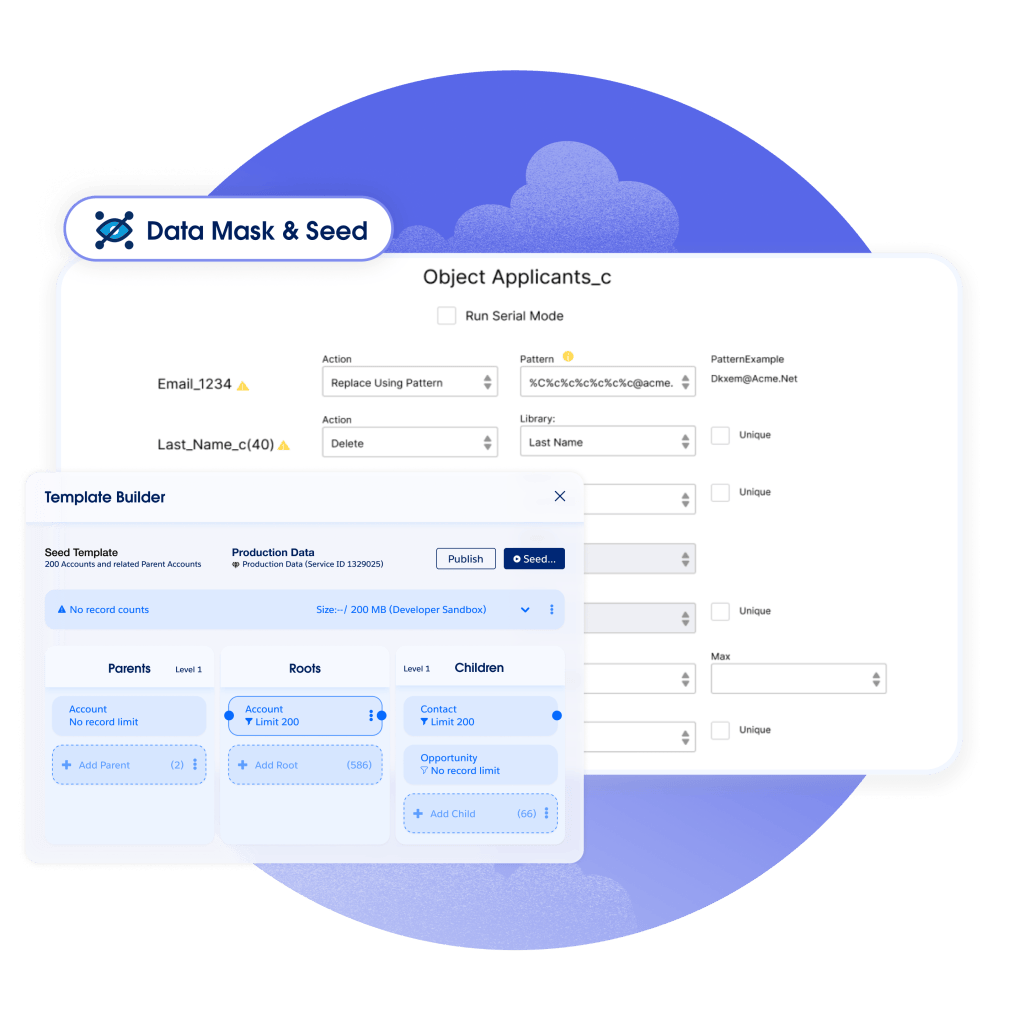
Data Mask & Seed comes from the Own Company products that Salesforce has brought into its platform. According to the Data Mask & Seed help documentation, it replaces personal data in sandboxes with realistic synthetic data, and adds a few things admins have long asked for:
- Reusable masking policies that define which objects and fields to mask, with record filters inside each object.
- Custom replacement libraries for text and email fields, on top of the built-in ones.
- Automatic runs when a sandbox is created or refreshed, plus manual and scheduled jobs.
- Deletion of sensitive free text such as case comments, email messages and Chatter comments.
- Seeding: the Data Mask & Seed product page describes seed templates that filter records and keep production relationships, with add, update or replace methods.
Who is affected
Use these lines to decide quickly whether this applies to you:
- Orgs with the legacy Data Mask package installed: directly affected. Your masking policies need to be rebuilt in Data Mask & Seed before December 31, 2026.
- Orgs that refresh Full or Partial Copy sandboxes without any masking: not affected by the retirement, but exposed. This is a good moment to close the gap.
- Orgs using a third-party masking tool: not affected, but check that your tool covers the objects Data Mask & Seed now handles, such as email messages and case comments.
- Service Cloud teams: pay special attention. Cases, emails and comments hold the most free-text personal data, and that text is often where masking is weakest.
- Integrators and partners with sandbox access: indirectly affected. Their access is the main reason sandbox data must be masked in the first place.

Legacy package vs Data Mask & Seed: what to plan for
Before you migrate, compare how your current setup works with how the new one will run:
- Before: masking was configured once and triggered by an admin from the sandbox after each refresh. After: policies are managed in production and can run automatically in target sandboxes after a refresh, with a Jobs tab in sandboxes to monitor or cancel runs.
- Before: sandboxes were often full copies, masked after the fact. After: seeding lets you load a smaller, filtered and consistent dataset, which can make Developer and Developer Pro sandboxes far more useful for testing.
- Before: free text in cases and emails was easy to forget. After: you can explicitly delete case comments, email messages and Chatter comments in sandboxes.
Two points to check with your account team rather than assume. First, the help documentation lists Data Mask & Seed for Lightning Experience in Professional, Enterprise, Unlimited and Developer Editions with the Salesforce Data Mask add-on license, so confirm what your current contract covers. Second, the masking methods are not a one-to-one copy of the legacy package, so each existing rule needs a fresh decision rather than a blind port.
Step-by-step migration plan before December 31
- Inventory what you mask today. Export or screenshot every legacy Data Mask configuration: objects, fields, masking method per field and any record filters. This is your baseline.
- Re-classify sensitive fields. Review which fields contain personal data, including custom fields added since the first setup. The product page notes that fields can be filtered by Data Classification, so filling in classification metadata now saves time.
- Confirm licensing. Ask your Salesforce account executive how the legacy add-on maps to Data Mask & Seed for your org, and get it in writing.
- Rebuild policies in production. Create masking policies object by object, starting with Contact, Lead, Account, Case and EmailMessage. Choose between pseudonymization (realistic, useful for testing) and deletion (safest for free text).
- Test on a Developer sandbox first. Refresh, let the policy run, and check that flows, validation rules and integrations still work with masked values. Watch email fields: a badly masked address can send real messages from a sandbox.
- Switch on automatic runs. Once a policy is validated, attach it to the sandboxes you refresh regularly so masking happens without a manual step.
- Decommission the legacy package. After a full refresh cycle runs cleanly with Data Mask & Seed, uninstall the old package and update your sandbox runbook.

If you are also preparing other changes due this winter, our guide to Salesforce release updates before Spring '27 and our article on Salesforce integration authentication deadlines will help you group the work into one testing window.
Quick checklist for decision makers
- Do we know which sandboxes hold real customer data today?
- Who outside the company (integrators, freelancers, offshore teams) can log in to them?
- Is the legacy Data Mask package installed, and who owns its configuration?
- Is a Data Mask & Seed policy tested and running automatically before December 31, 2026?
- Does our sandbox refresh procedure name the person who checks that masking ran?
Conclusion
The Data Mask retirement is a short project if you start now and a compliance gap if you do not. The new tool is more capable, but the value comes from the review you do while migrating: which fields are personal, which sandboxes really need production data, and who can see them. Teams running Salesforce Service Cloud or Salesforce Sales Cloud with frequent sandbox refreshes should put this on the December sprint. ASC Digital can audit your sandbox data exposure, rebuild your masking policies and test them with you before the deadline.